
Challenge
Images need to be exported from MiPACS for various reasons.
One might be that images won't save and you would like to avoid losing the images.
Cause
A reason for doing this might be to get the patient record out to another clinic or to avoid losing an image if we are having problems.
Solution
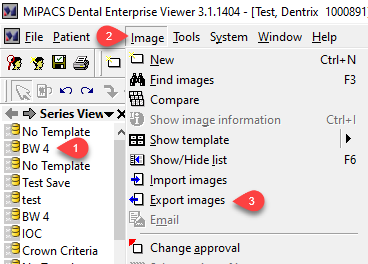
1. Select Series (1) you want to export then click on Image (2) then click on Export Images (3).
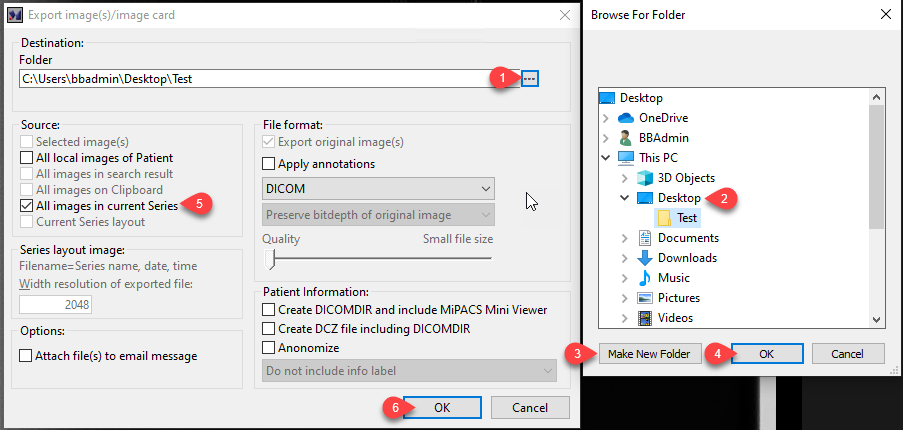
2. Click on the "..." (1) to chose where to save the images. Select Desktop (2) then click "Make New Folder" (3) then click OK (4). Select "All images in current series" (5) then click OK (6).
More Information
Please reach out to help@firstchoicedental.com if you have any questions or problems.
Comments