
Challenge
When trying to see individual group members in a distribution group in Outlook you get an error saying unable to expand.
Cause
This may be caused with having an outdated group in your auto-fill or some other problem related to an old record.
Solution
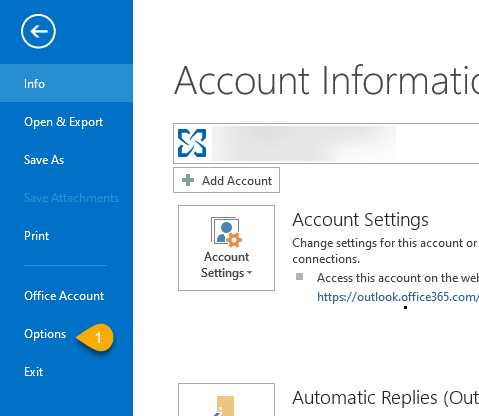
1. In Outlook click File then Options (1)
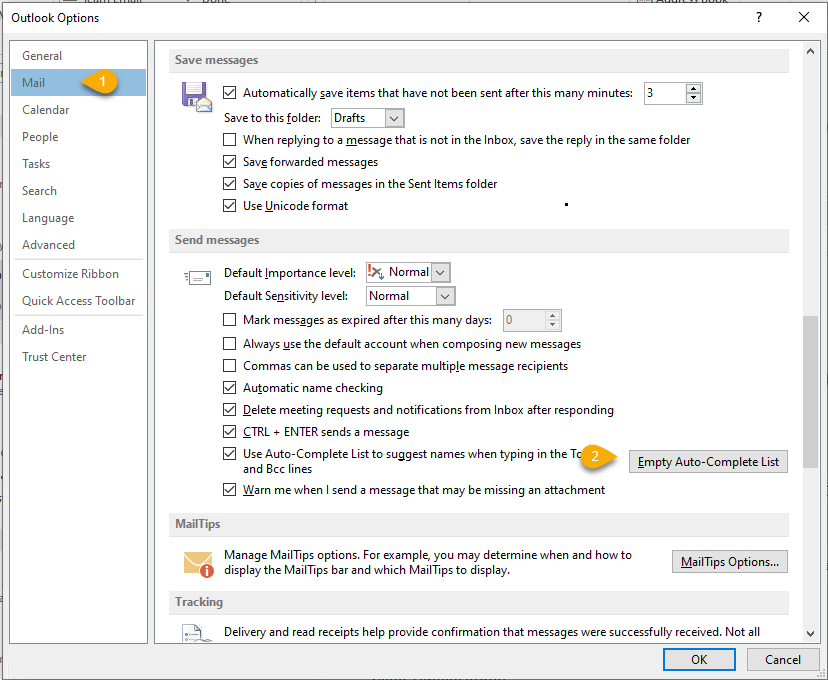
2. In Outlook Options click Mail (1) then scroll down and click Empty Auto-Complete List (2)
3. Now you should be able to expand the email group in Outlook. If you are still unable to expand the list please email help@firstchoicedental.com
More Information
n/a
Comments