
Challenge
A shared mailbox is needed to be seen and you are using the Outlook Web App.
Cause
The computer you are using does not have the Outlook application or you prefer to use the Outlook Web App.
Solution
1. Log into your email account in a web browser.
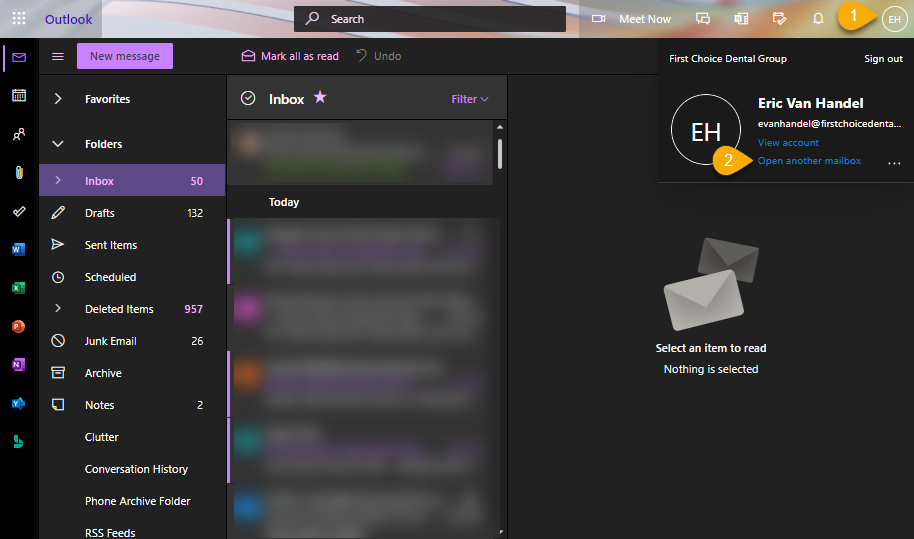
2. Click on your initials (1) in the upper right corner then click Open another mailbox (2)
3. Type Mailbox Name (1) then click Open (2)
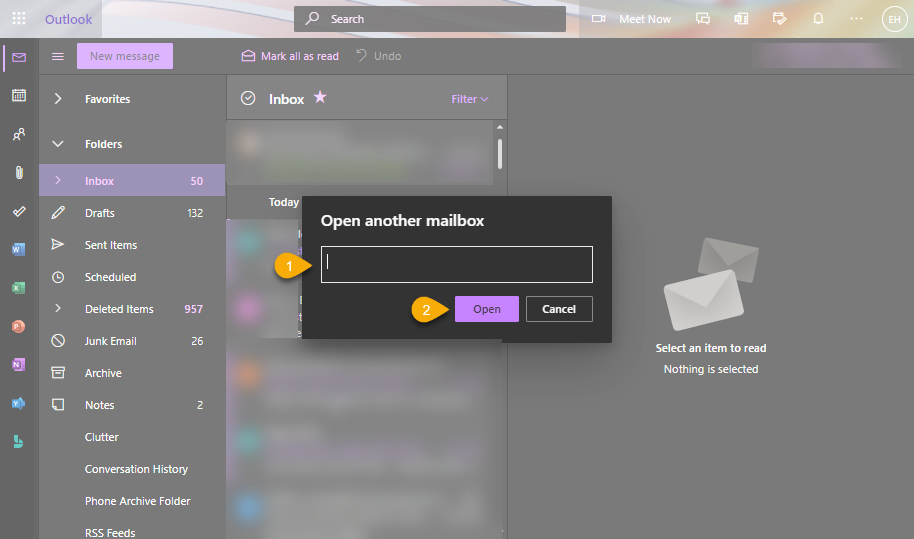
4. The new mailbox will open in a new tab
More Information
If you get an error message about not having permission and you feel you need it. Please reach out to help@firstchoicedental.com
Comments