
Challenge
If the person on the other end is hearing an echo of themselves or poor quality of the phone call, adjustments may be needed on the headset hardware.
Cause
Headsets may need settings changed over time or during the initial setup we need to have the correct settings to ensure a high quality phone call.
Solution
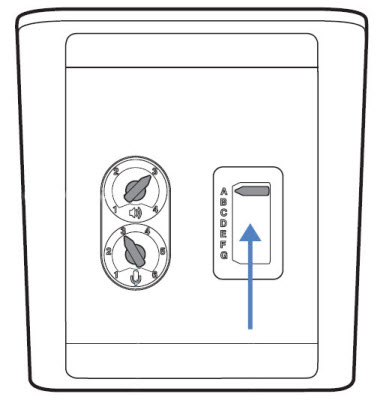
- Check your desk phone’s volume setting. Make sure it’s set to to medium. Not “high”.
- If the listening volume is too low, adjust the setting on the wireless base to increase the volume (pic below)
- If the sound level is still low, adjust the setting on the wireless headset itself to increase the volume.
- If the echo problem continues to persist, lower the speaking volume on the base. For most telephones, the correct setting is “3” (pic below)
- If your speaking volume is too low for your caller, you can also adjust the position of the headset to ensure the microphone is two finger’s width from your mouth.
More Information
Contact help@firstchoicedental.com if further help is needed.
Comments