
Challenge
Image from Canon Rebel Camera are large and we need to reduce the file size.
Cause
Settings on the Camera
Solution
1. Click MENU (1) then select Image Quality (2) followed by SET (3).

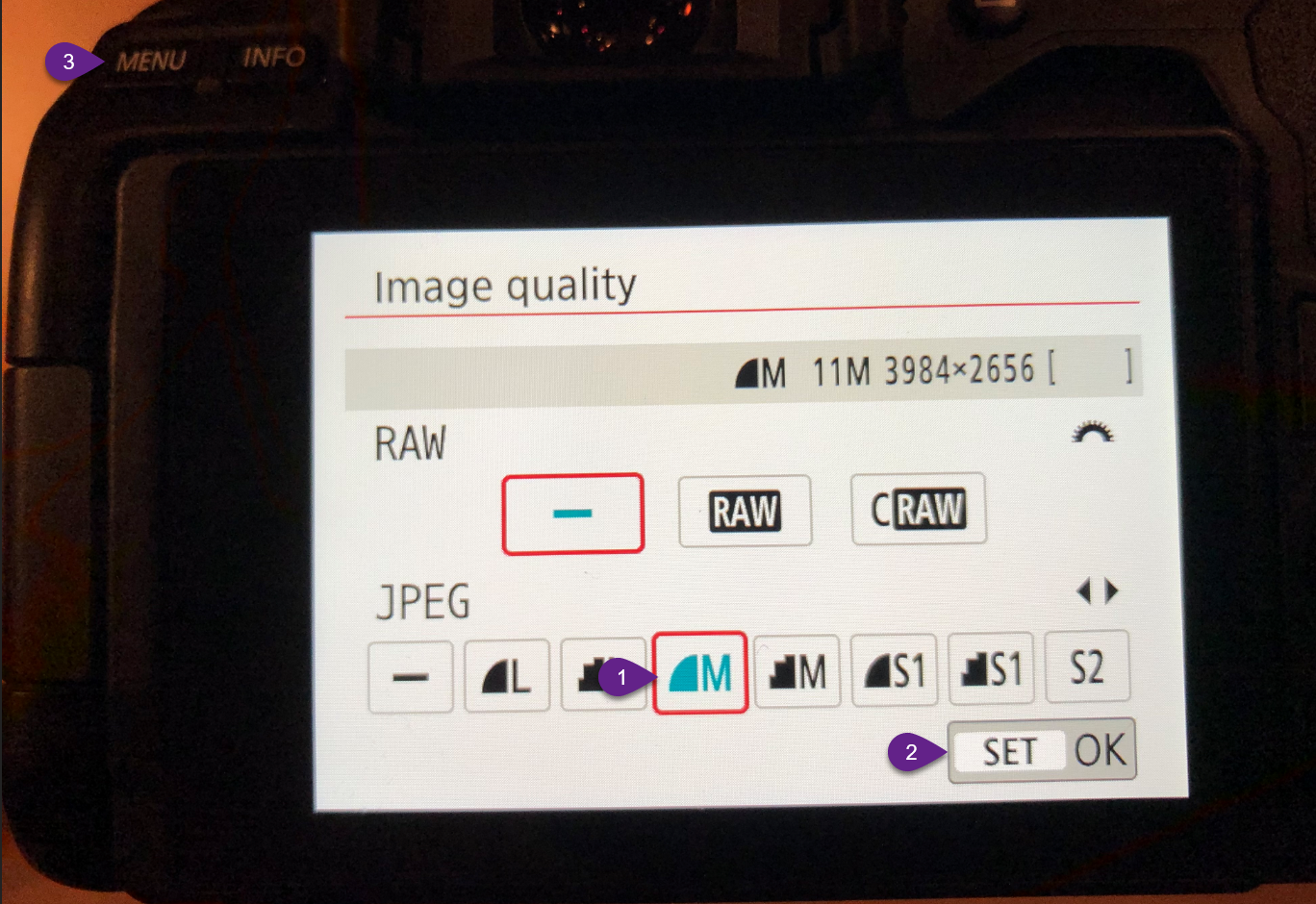
2. Select M (1) then click SET (2) followed by MENU (3) to exit.
More Information
ENTER MORE INFORMATION IF APPLICABLE - i.e. - Please remember to close out all applications before leaving for the day.
Comments