
Challenge
You need to reset your Paylocity account password.
Cause
A password change is required or you have a forgotten password you need to reset.
Solution
1. Navigate to the Paylocity.com login page.
a. Click the Help (1) option then select Forgot Password (2)
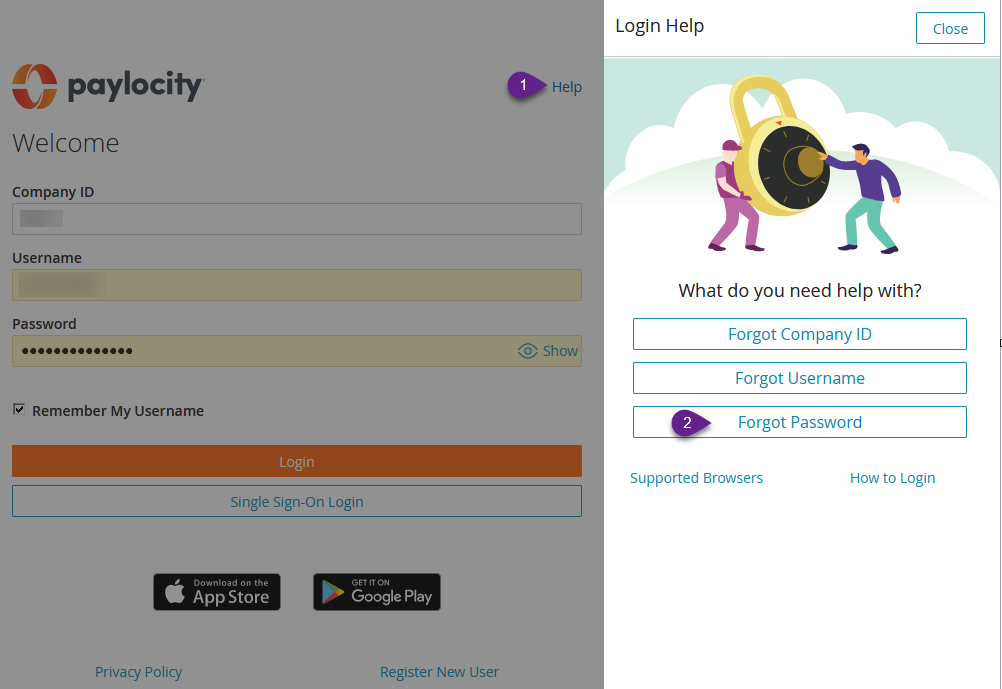
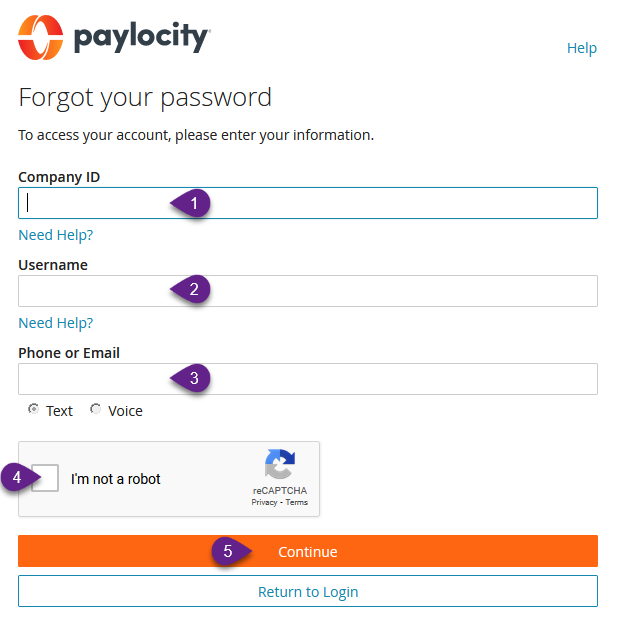
2. Enter your account information
a. Enter the Paylocity-assigned Company ID(1)
b. Enter the user's Username (2).
c. Enter the user's Phone (3) or Email (3) associated with the Username (3) field.
d. Enable the reCAPTCHA (4) checkbox indicating I'm not a robot (4).
i. Follow any human verification steps prompted by the reCAPTCHA box.
e. Select Continue (5)
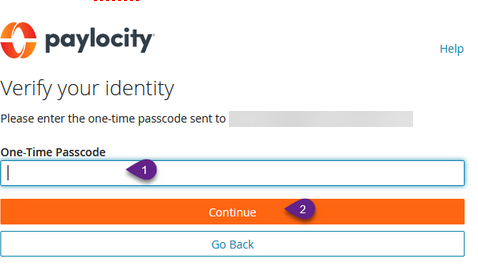
3. Enter One-Time Passcode (1) from email then click Continue (2).
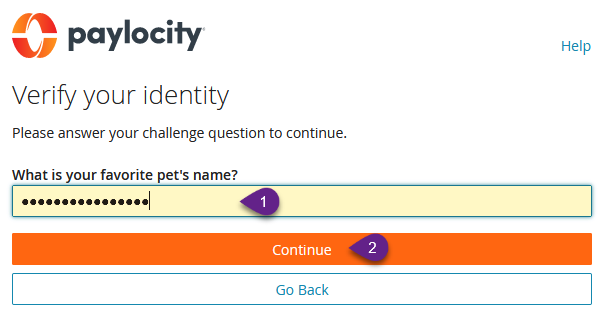
4. Respond to the login challenge question (1) with the appropriate response and click Continue (2).
5. Enter a New Password twice that follow the rules below then click Finish.
Passwords are case-sensitive.
Passwords must be eight to 72 characters in length, must not be duplicates of any of the previous
four passwords and must include two of the following three items:
One or more numbers
One or more uppercase letters and one or more lowercase letters
One or more non-alphanumeric characters
More Information
Comments