
Challenge
A file you need quick access to is no longer there, without needing to restore a backup, we may be able to recover the file using Windows Previous Versions to recover a file.
Cause
A file was removed or edited and the file is required.
Solution
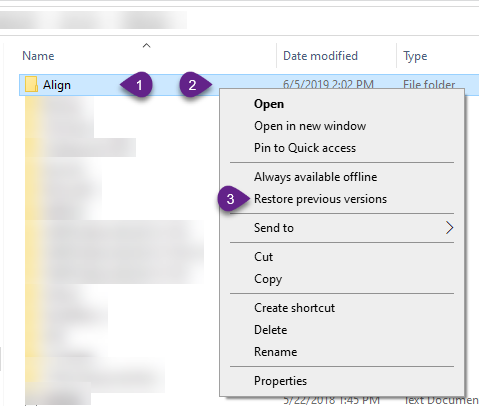
1. Navigate to folder containing file that is needed and select the Folder (1) then Right Click on the Folder (2) then Select Restore previous versions (3). Depending on installed software, the Restore previous versions might be in a slightly different location.
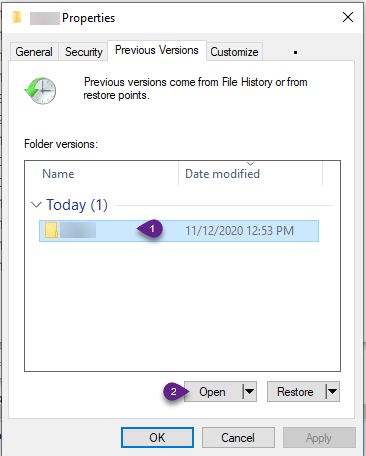
2. In the Previous Versions tab click on the date you want to restore the files from (1) then click Open (2).
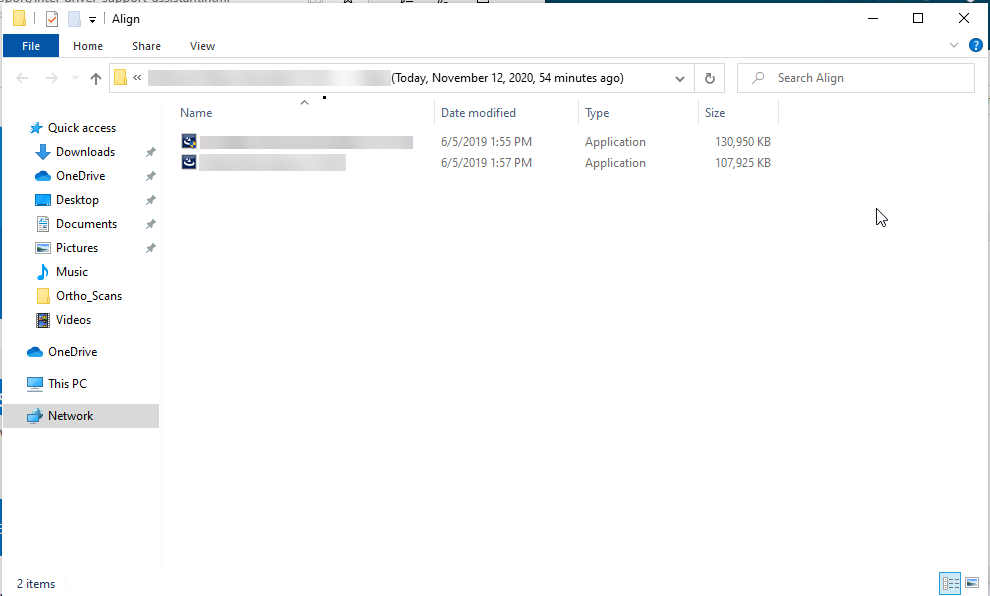
3. Select the files you want to restore and copy them back to the original location or any location you want them to be.
More Information
Contact help@firstchoicedental.com if you experience any problems with this or if you need files to be restored from a backup.
Comments