
Challenge
If your Dentrix server connection disconnects without you doing anything you may have your credentials saved on multiple computers under your username or another username.
**You may need to do this on multiple computers and check if you saved your credentials on someone else's desktop link if you haven't found mutiple RDS connections with your credentials saved.**
Cause
We allow RDS server connections to save credentials to allow for easier logins to the server.
Solution
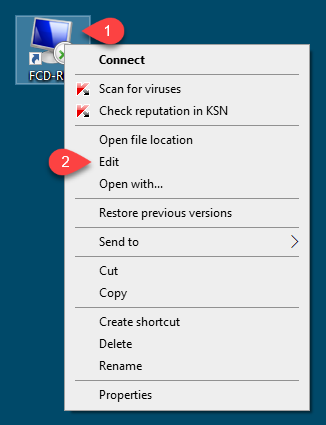
1. Right Click (1) on FCD-RDS then click Edit (2)
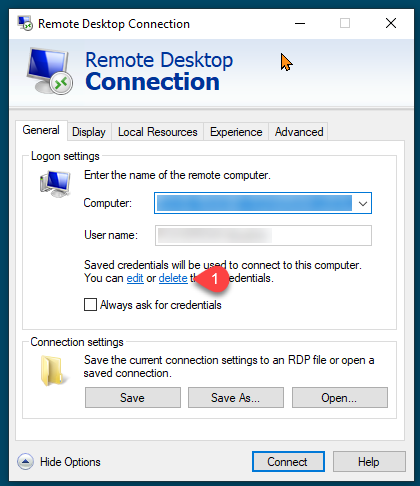
2. Click on Delete (1). If there are no saved credentials the Delete option will not appear.
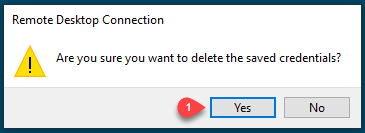
3. Click Yes (1)
4. Check other computers under your login to see if you have your credentials saved, if problem still exists check other users logins.
a. We do not advise saving your account information under another users login, this is a huge security issue and could allow another user to act under your user account.
More Information
If more help is needed or clarification on this process, please contact help@firstchoicedental.com
Comments