
Challenge
FCDG's LaserFiche repository has moved to a new location.
Cause
Hosting for our data repository changed and we have a new web URL to access it.
Solution
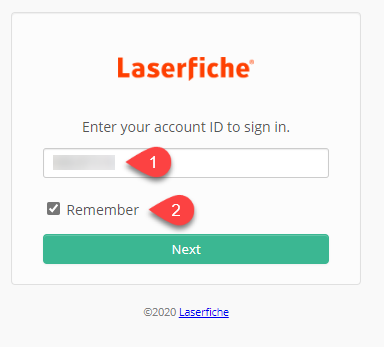
1. Log into Laserfiche Website.
a. URL: <Check Email or Intranet>
b. Account ID (Step 1): <Check Email>
c. Click Remember (Step 2)
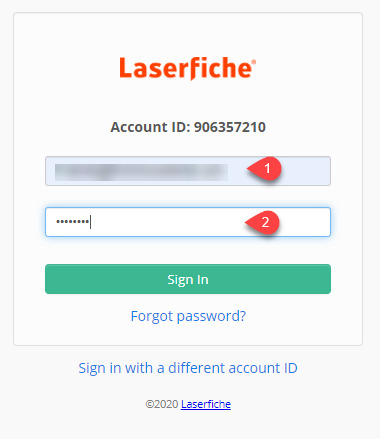
2. Enter LF-Dental Account Credentials
a. Username (Step 1): <Check Email>
b. Password: <Check Email>
c. Click Sign In
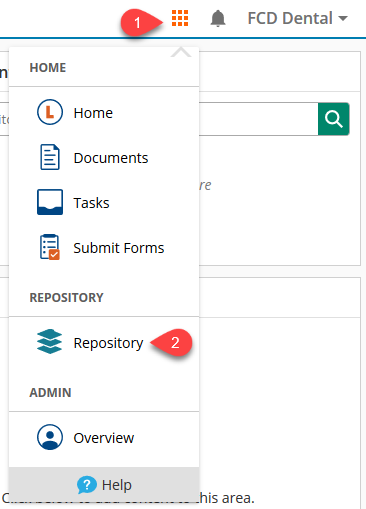
3. You are now able to access LaserFiche's Web Portal. If you are in the repository you are all set.
a. To access the Document Repository click the Waffle (Step 1) then Repository (Step 2)
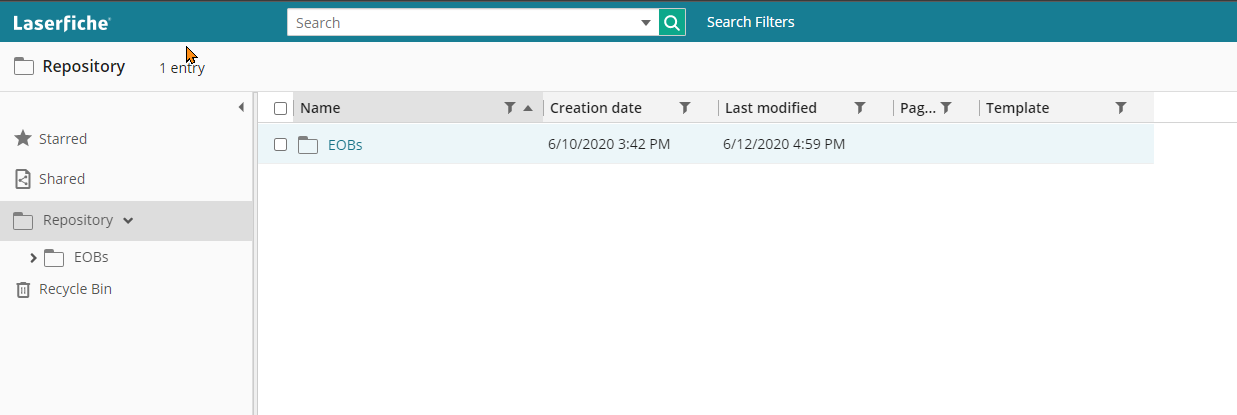
4. You are now into the Repository in the LaserFische Portal.
More Information
If you are having problems please contact help@firstchoicedental.com
Comments