
Challenge
Some websites may need your browsers cache cleared out to work. Delta Dental seems to need this done on occasion.
Cause
There is some problem with the cache from the website causing a website to load incorrectly or not allow users to log in.
Solution
Google Chrome:.
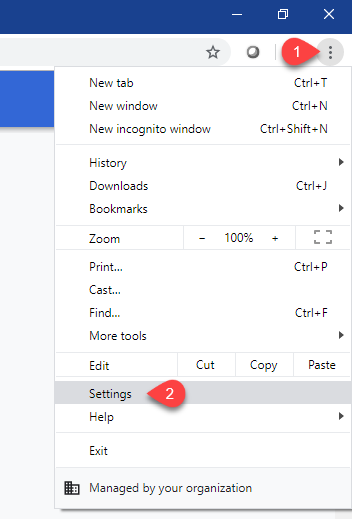
1. Click on the Three Dots (1) in the upper right side of Chrome then click on Settings (2).
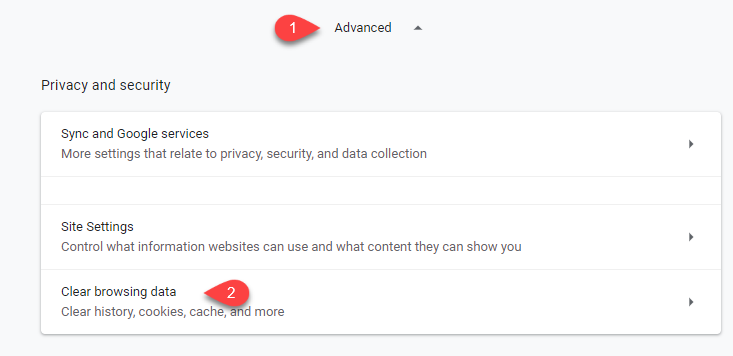
2. Scroll to the bottom and click Advanced (1) then click Clear browsing data (2)
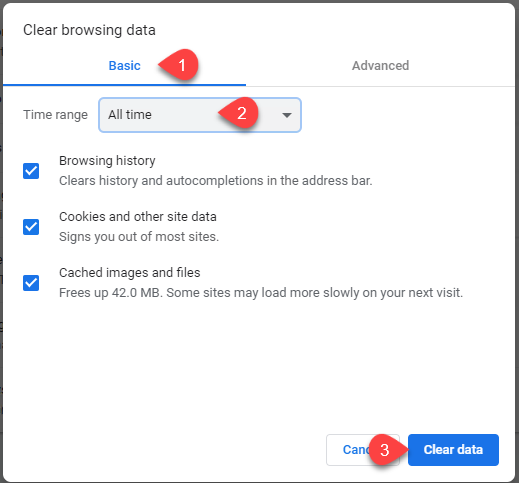
3. Select Basic (1) then select All time (2) then click Clear data (3)
4. Try to log into or go to site
Edge Chromium <IN PROGRESS>:
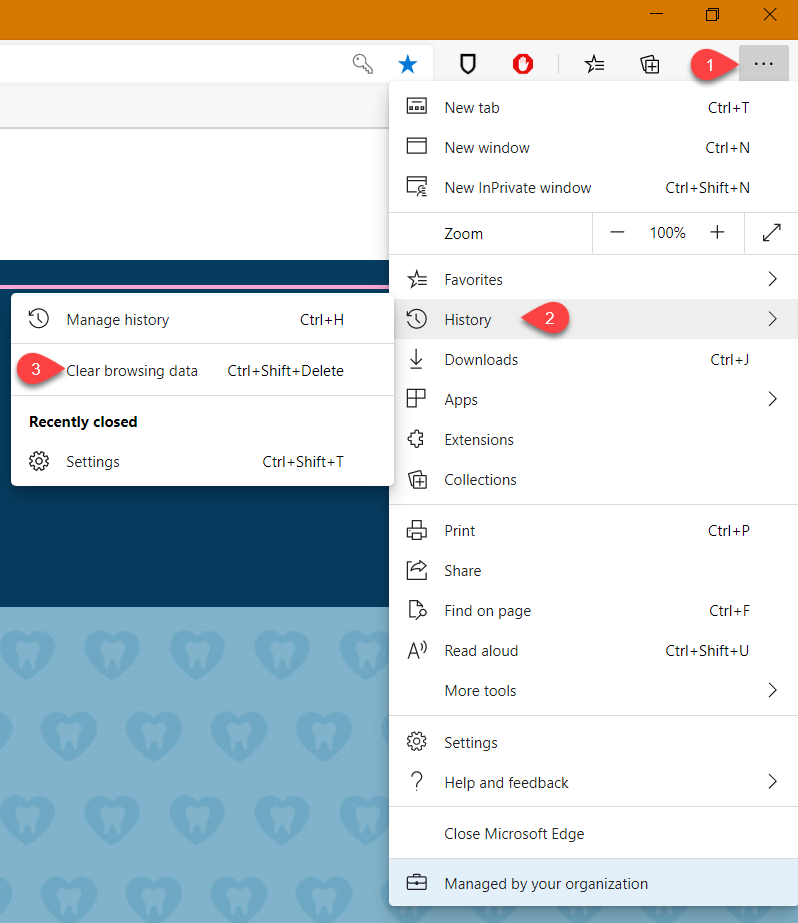
1. Click on the Three Lines (1) in the upper right hand side then click History (2) followed by Clear Browsing Data (3).
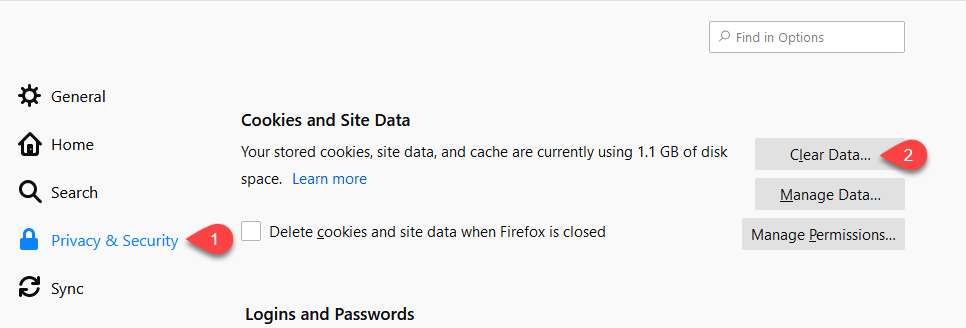
2. Click Privacy & Security (1) then scroll down to Cookies and Site Data and click on Clear Data...(2)
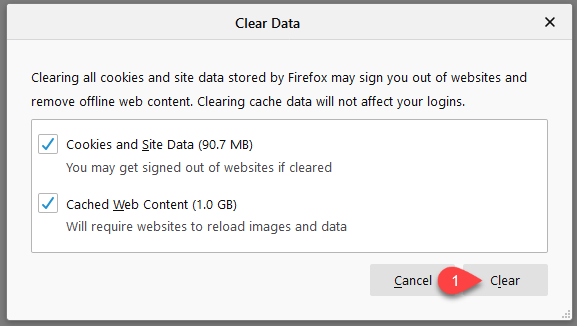
3. Click on Clear (1)
4. Try to log into or go to website
More Information
Comments