
Challenge
You need to change your password.
Cause
You should update your password regularly. You can also change your Ortho2 password when you change your Windows password.
Solution
1. Log into Ortho2
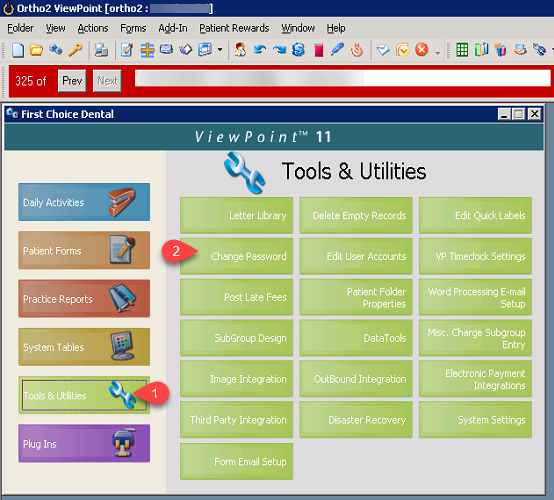
2. Click on Tools & Utilities (1) in the table of contents, then click Change Password (2).
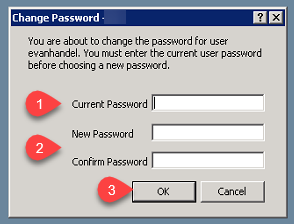
3. Enter Current Password (1) then enter the New Password Twice (2) then click OK (3).
More Information
Comments