
Challenge
You need to use Secure Print.
Cause
n/a
Solution
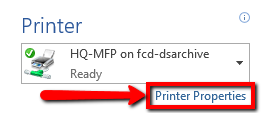
1. In any Microsoft Office document: Select File > Print (or Ctrl-P) > click “Printer Properties”
2. Under the “Basic Settings” tab select “Secured Print”, then select any other additional options you require (two-sided, etc), then click “OK”
NOTE: You will get a warning that the output method has been switched. Click “OK”

3. Click “Print”

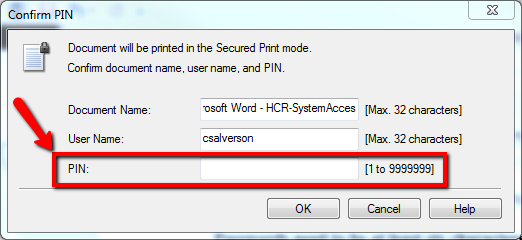
Enter a secure PIN that you can remember and click “OK”
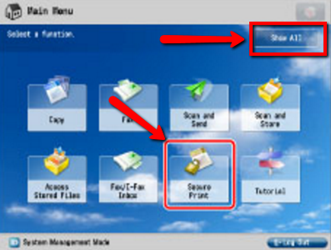
5. Now from the printer’s Main Menu, select “Show All”, then “Secure Print” from the screen:
6. Select your job, then select “Secured Print” to enter your PIN:
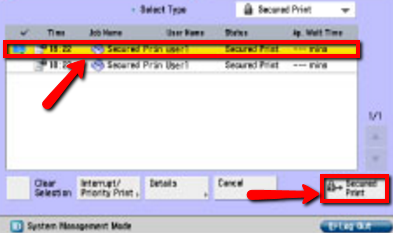
Another window will come up. Enter your PIN from step 4 using the keypad on the printer, click “OK”, and your document will start to print.
More Information
ENTER MORE INFORMATION IF APPLICABLE - i.e. - Please remember to close out all applications before leaving for the day.
Comments