
Challenge
We have one K7 unit and there are several other workstations we need to access this data from.
Cause
K7 uses a central database setup to allow remote connections to access these files.
Solution
1. Open K7 Program
2. In Disk Drive drop down menu select: T: Drive (Network)
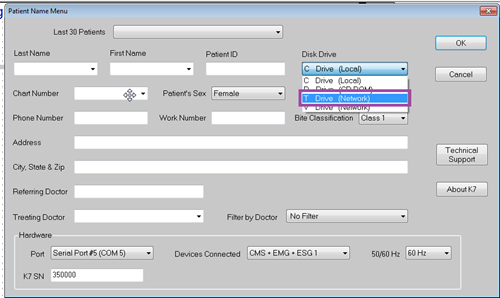
3. After connecting to the database on the remote computer in K7, searching patients will be enabled.
More Information
If you do not have the T: Drive (Network) showing up in the drop down menu, please restart your computer. After the reboot, if the remote drive still does not exist, please contact support.
Comments