
Challenge
Setting up printers in Dentrix to always print to your Default printer at your current office by using Window's printers setting.
Cause
Dentrix handles printers differently from other software packages and requires additional settings to be configured.
Solution
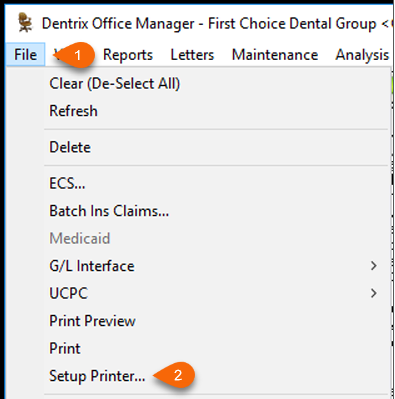
1. In Office Manager click File (1) then Printer Setup... (2)
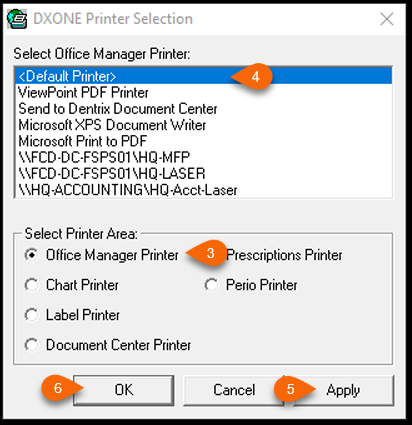
2. Select Printer Area:
a. Click Office Manager Printer (3) & select <Default Printer> (4) then click Apply (5)
b. Repeat step a. for all printers except for Label printer. Select the site's label printer for this option.
3. When Complete click OK (6)
More Information
If you are having problems with printers, please log out of the server and log back in. Also, if you switch from one site to another during the day, make sure to log out of the server and log back in to connect to the correct printers.
Comments