
Challenge
Could Your Global Address list in Outlook is not current and you are missing new or updated entries.
Your version of Outlook may look different, but these tools should be in the same location.
Cause
Outlook does not constantly update Global Address List as changes happen, which causes new entries to take a while to populate automatically.
Solution
1.Click "File" in the Outlook application.

2. Click on "Account Settings" then "Download Address Book..."
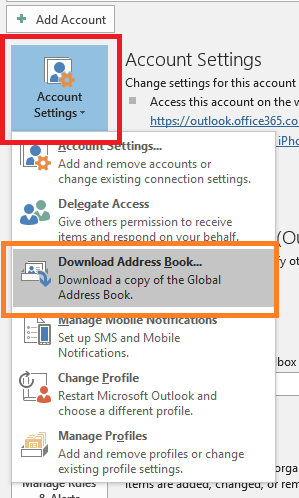
3. Click "OK." Depending on the amount of changes and size of the Global Address List this may take a few seconds or a few minutes to run.

More Information
Comments