
Challenge
Your server connection disconnects when another user uses link on a different workstation.
Cause
This occurs when your Windows credentials are saved on more than one computer and another user is using the RDS link to connect to the server.
Solution
Find the computer that your Windows credentials are saved under and delete them.
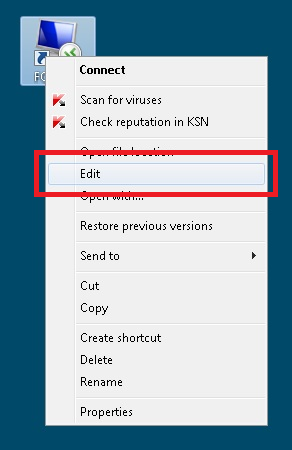
1. Right click on FCD-RDS & select "Edit".
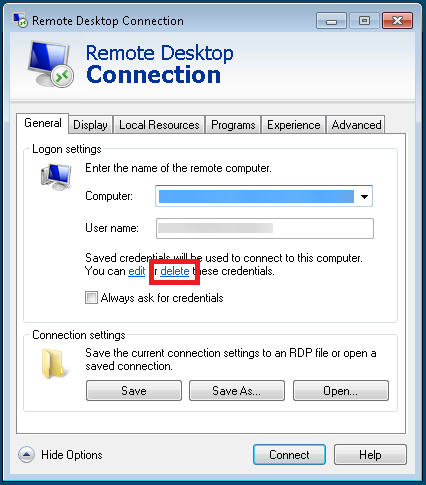
2. Click on "Delete" then click "Connect."
More Information
ENTER MORE INFORMATION IF APPLICABLE - i.e. - Please remember to close out all applications before leaving for the day.
Comments