
Challenge
X-Charge server location moved or needs updating.
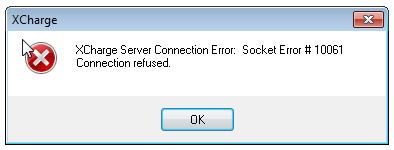
Error Message: "X-Charge Server Connection Error: Socet Errror # 10061. Connection Refused."
Cause
X-Charge server location has moved.
Solution
1. After opening X-Charge client, this error message occurs. Click OK to proceed.
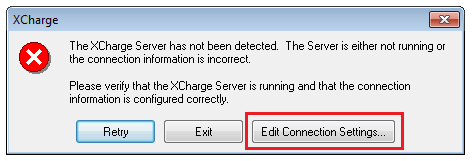
2. Select "Edit Connection Settings"
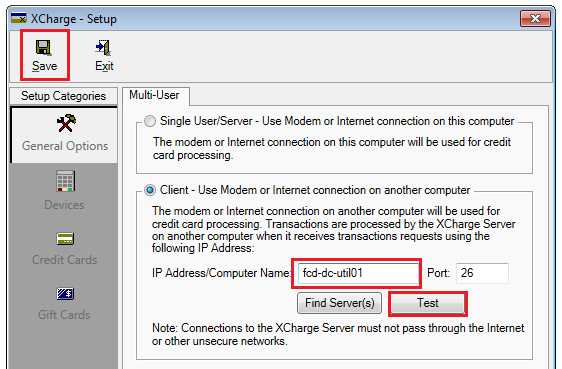
3. Connect to correct Server. In IP Address/Computer Name dialog box enter "fcd-dc-util01" and click Test to verify it connects. Click Save then Exit.
4. Log into X-Charge.
More Information
Comments