
Challenge
The Company Drive shortcut on desktop no longer works.Cause
The location of the Company Drive share has moved location and this shortcut is no longer updated to reflect the new location.
Solution
To access the new location of the Company Drive.
1. Click on the Folder Icon on the Task Bar.
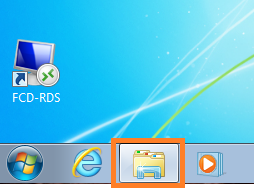
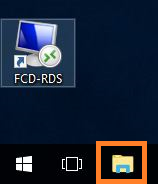
Windows 7 Windows 10
2. In the Windows Explorer box click on "Company Drive - FCDG (V:)" You may have to click on the arrow highlighted in Red to expand contents of "Computer" or "This PC."
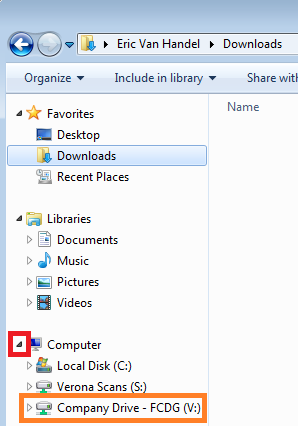
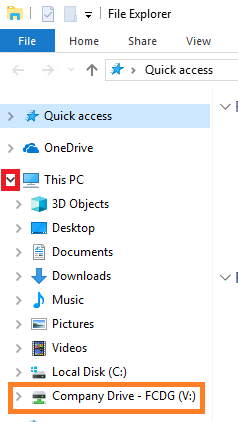
Windows 7 Windows 10
More Information
Comments