
Challenge
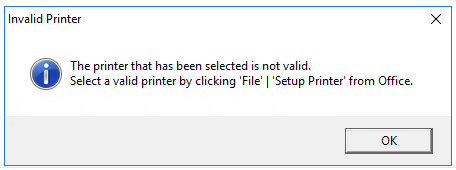
When trying to print from Dentrix you get an error saying "The printer that has been selected is not valid."
Cause
Dentrix's printers need to be updated in DXONE Printer Selection after switching between different computers and logging into the Dentrix servers.
Solution
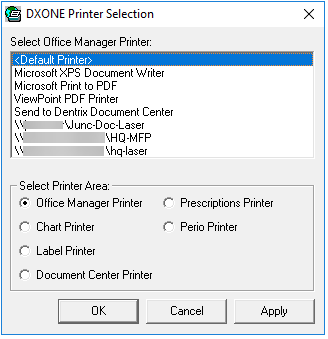
Open DXONE Printer selection and select "<Default Printer>" for all options in the "Select Printer Area" except for Label Printer, which will need to select your site's label printer.
More Information
Comments