
Challenge
Dentrix password should be changed on a regular basis as well as your Windows password.
Cause
It's not required to change your password in Dentrix but it is good practice to change your password on a regular interval as you would your Windows password.
Solution
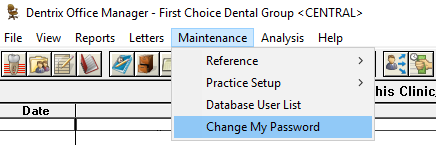
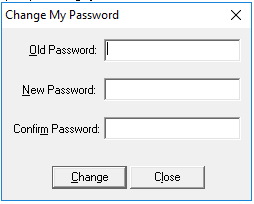
Log into Dentrix and in Office Manager click on Maintenance then Change My Password. Enter Old password (Current) and the new one twice.
More Information
Please be proactive about changing your password. Your computer should prompt you a few days in advance about changing your password, which can prevent errors like these.
Comments