
Challenge
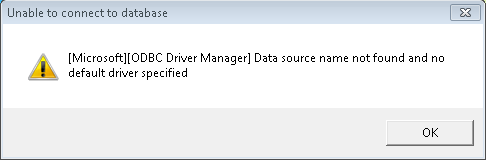
You receive an error when searching for a patient in MiPACS. The message reads "[Microsoft][ODBC SQL Server Driver] Data source name not found and no default driver specified."
Image:
Cause
This error occurs when your MiPACS software has not been connected to the Dentrix Database.
Solution
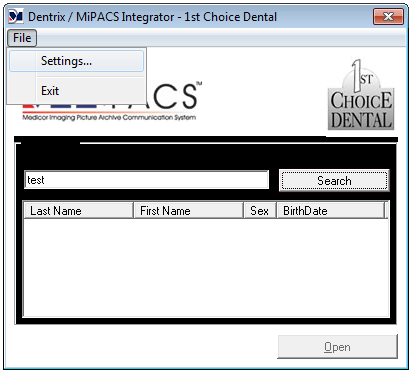
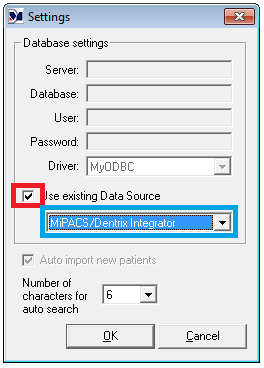
Open MiPACS and Click "File" then "Settings." In Settings screen, check "Use existing Data Source."
Depending on your computers configuration you will have one of these options in your list. Select the one provided in the drop down list.
"MiPACS/Dentrix Integrator x86"
"MiPACS/Dentrix Integrator"
More Information
Once this has been done for a user on the computer, they will not need to complete this again. Other users on computer may have to change these settings.
Comments