
Challenge
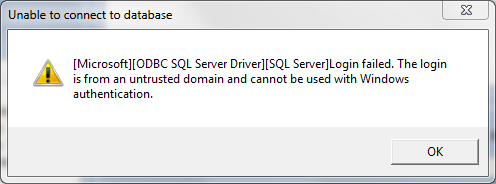
You receive an error when searching for a patient in MiPACS. The message reads "[Microsoft][ODBC SQL Server Driver][SQL Server] Login failed. The login is from an untrusted domain and cannot be used with Windows authentication."
Image:
Cause
This error occurs when your Windows password has expired and needs to be changed. The Microsoft ODBC driver used to query the MiPACS database needs valid Windows credentials to work properly. If your password is expired or locked out, you will receive this error.
Solution
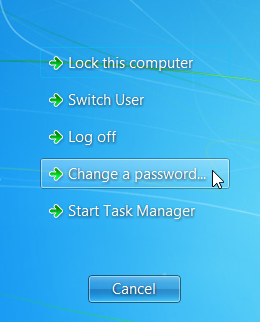
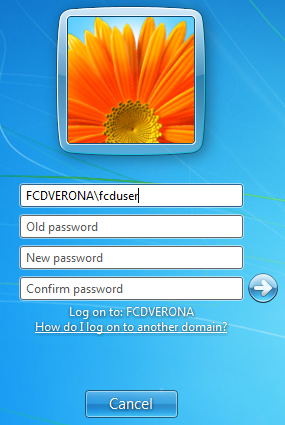
Press Ctrl+Alt+Del on your keyboard and select "Change a password..." and follow the on-screen directions to change your password.
More Information
Please be proactive about changing your password. Your computer should prompt you a few days in advance about changing your password, which can prevent errors like these.
Comments