
Challenge
The basics of using PasswordState to connect to a URL or get a password onto your clipboard.
Cause
n/a
Solution
Copy Information to Clipboard:
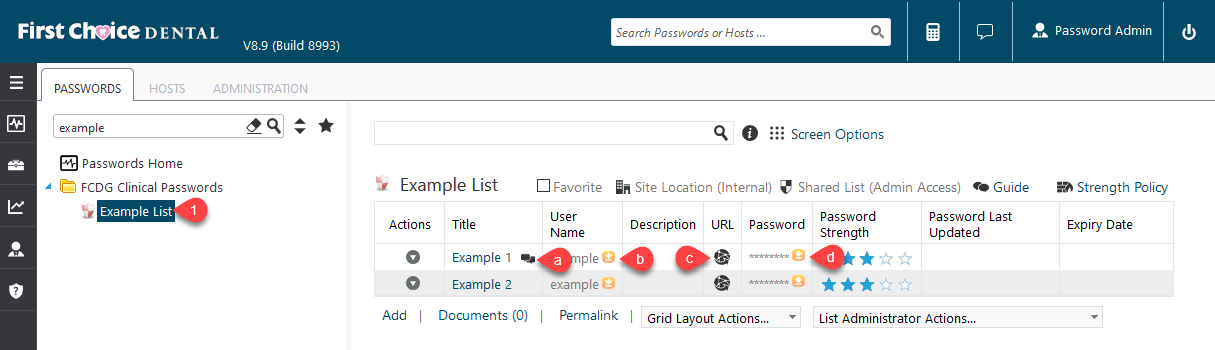
1. Select Password List (1)
a. Hover over to view notes associated with account.
b. Copy Username to Clipboard (Yellow Down Arrow Button)
c. Open Website in new tab
d. Copy Password to Clipboard (Yellow Down Arrow Button)
Edit or View Detailed Information for Record:
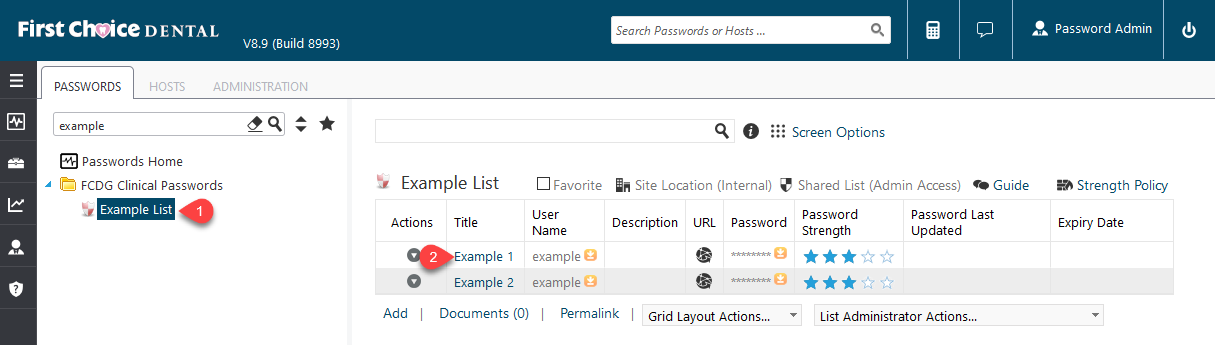
1. Select Password List (1) then click on Title of Password (2) you want to edit.
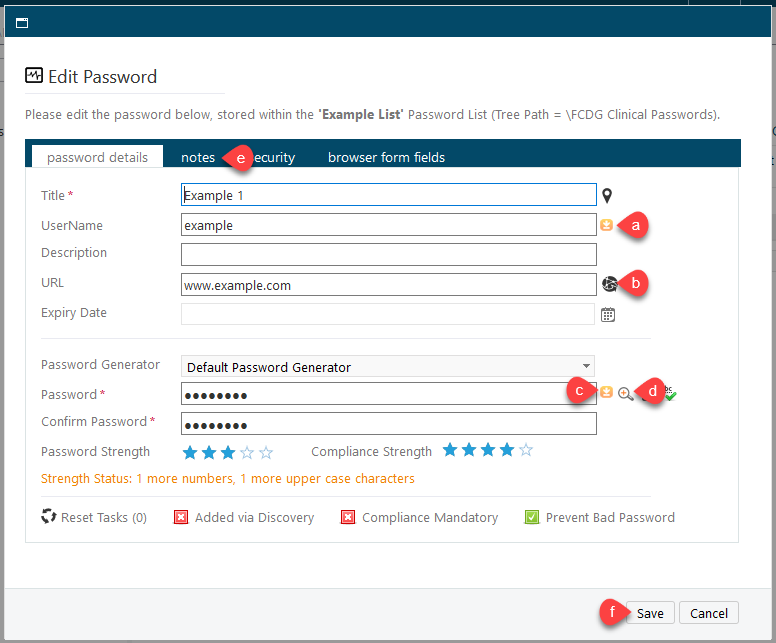
2. Important Fields in Edit Password Screen
a. Username Field with button to copy to clipboard.
b. Open URL in new tab (Globe button) or edit URL
c. Copy Password to Clipboard (Yellow Down Arrow)
d. View Current Password temporarily (Magnifying Glass Icon)
e. Notes tab, some entries may have additional information.
More Information
ENTER MORE INFORMATION IF APPLICABLE - i.e. - Please remember to close out all applications before leaving for the day.
Comments