
Challenge
Searching for passwords in PasswordState.
Cause
n/a
Solution
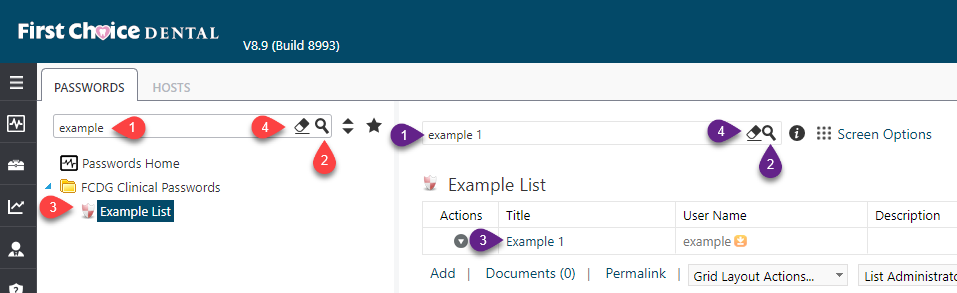
1. Searching for Password List (Red Marks)
a. Click in Search Bar (1) and type in name of desired list, then click Search Button (2). Select (3) desired password list. To clear search click the Eraser button (4).
2. Searching for Account information in Password list (Purple Marks)
a. Make sure you have Password List (Red 3) with account information desired. In Search Box (1) type account information then click Search (2). The desired account should be displayed (3). To clear selection click the Eraser (4).
More Information
ENTER MORE INFORMATION IF APPLICABLE - i.e. - Please remember to close out all applications before leaving for the day.
Comments