
Challenge
InVivo Egg Viewer we can create (Versions below 6.x) are unable to use eggs. We need to export as a .INV file.
Cause
The CBCT Scans save to another database that doesn't link up with our main imaging software.
Solution
1. Open Cliniview (1)
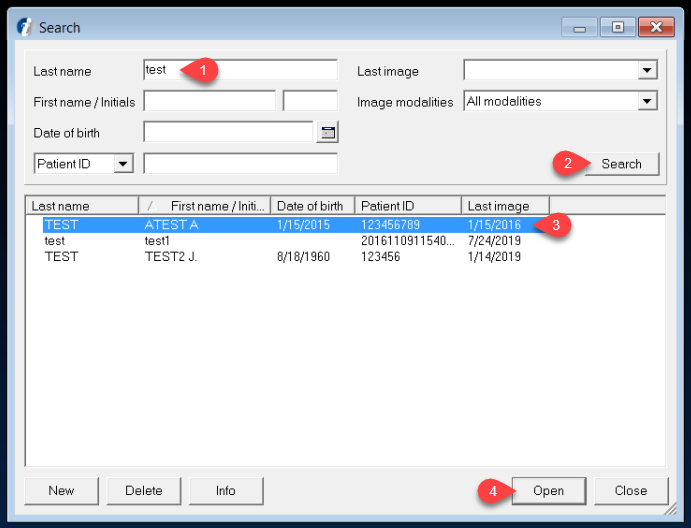
2. Search for Patient Record (1) click Search (2) then Select Patient Record (3) and click Open (4)
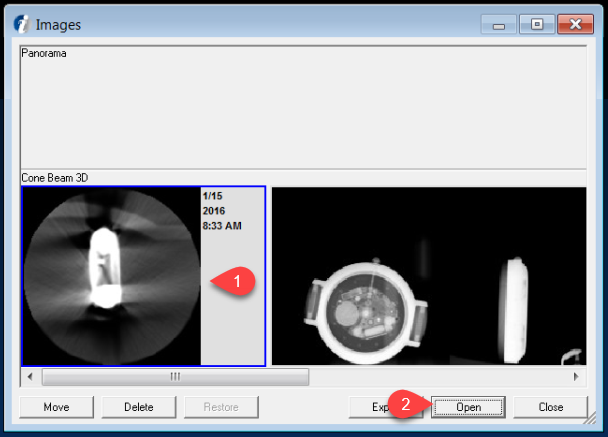
3. Select Cone Bean Scan (1) and click Open (2)
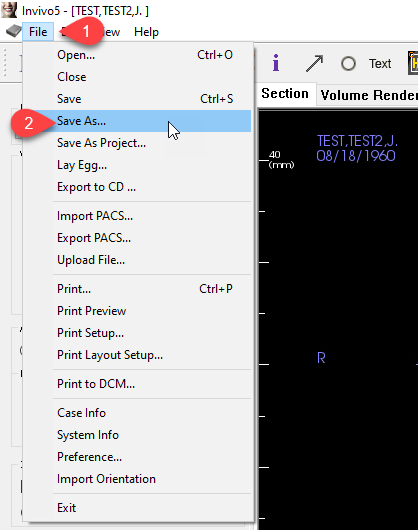
4. After Invivio5 Opens, click on File (1) then click Save As... (2)
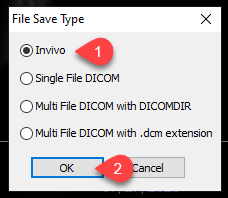
6. Select Invivo (1) then click OK (2)
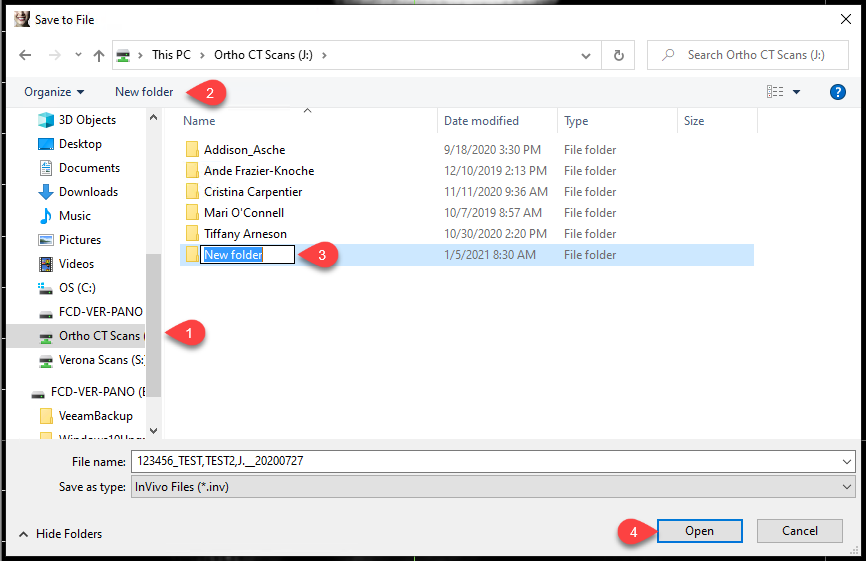
7. Select the Ortho CT Scan Share (J:) (1) then click New Folder (2) and Rename the Folder (3). Select the folder and Open it (4)
8. Rename File if nessesary, otherwise click Save (1)
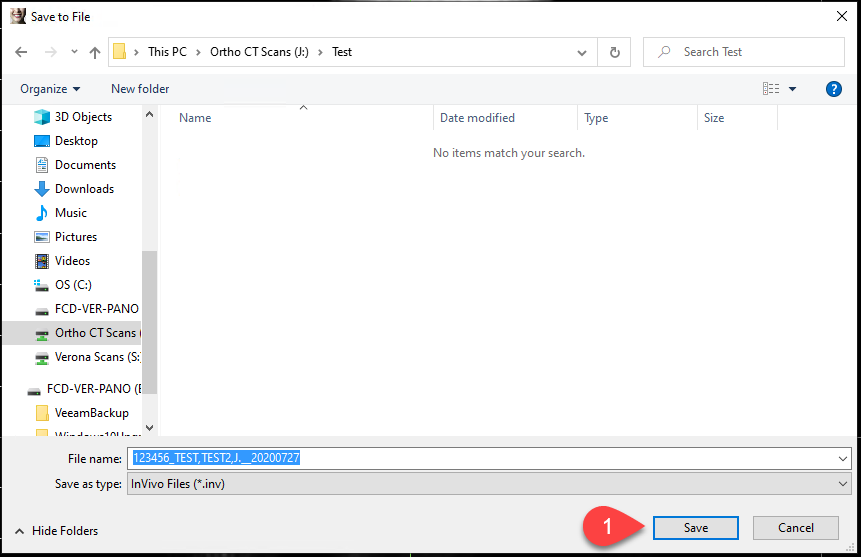
9. Now these files can be opened in the installed InVivo Viewer Software.
More Information
Contact help@firstchoicedental.com if there are any questions.
Comments