
Challenge
There is no signal on the TV from the computer in an operatory.
Messages such as: "Check TX input" or "Looking for TX Signal"
Cause
Occasionally these devices need to be reset or restarted to send signals again.
Solutions
Option 1:
1. Turn on TV and go to correct HDMI input for the computer.
2. Reboot the PC.
3. After reboot there should be a signal from the computer to the TV.
Option 2:
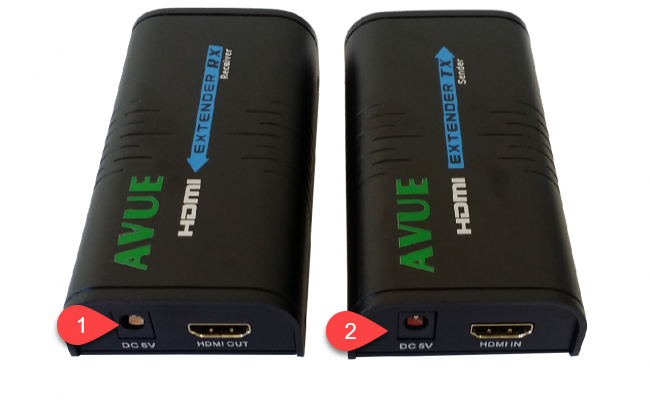
1. Power cycle the device.
2. Go in computer cabinet and unplug device (1)
3. Go behind TV and unplug device (2)
4. If display comes back you are all done.
Option 3:
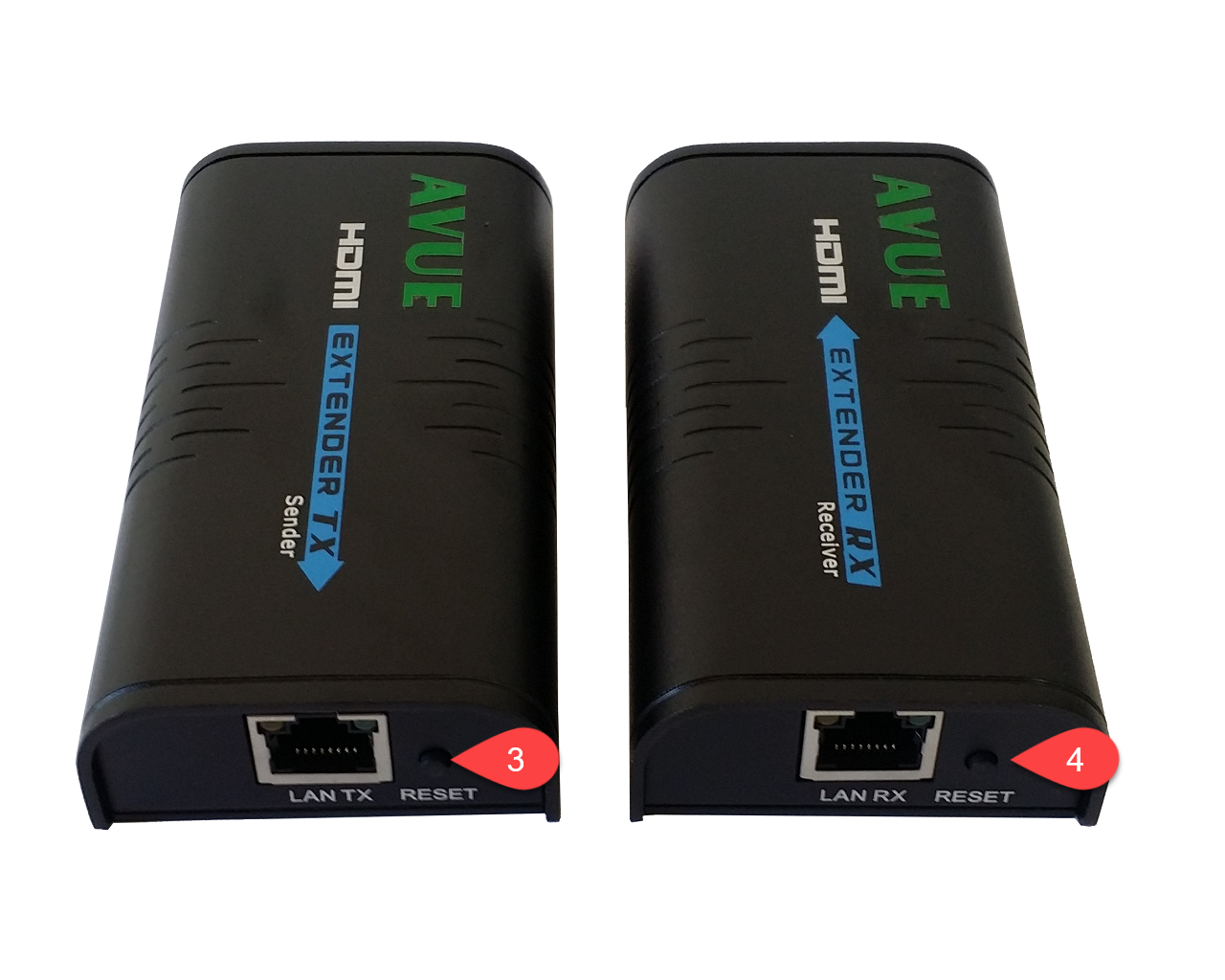
1. Reset the device.
2. Go in computer cabinet and press the reset button (3)
3. Go behind TV and press the reset button (4)
4. If display comes back you are all done.
More Information
AVUE HDMI-EC300 Images
Comments